



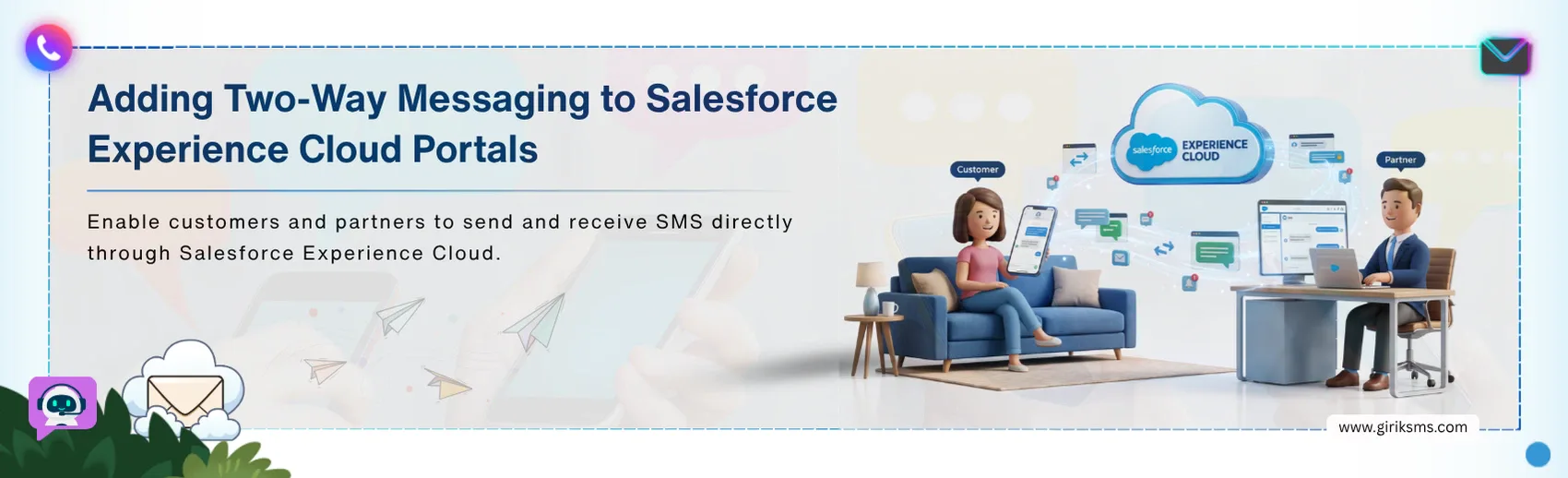
A Salesforce Experience Cloud portal provides customer information, cases, and service details in one place. It gives customers a way to find information, check updates, and manage their interactions with a business on their own.
But self-service has its limits — a customer may need to ask a question, provide additional information, or respond to the business instead of simply viewing a case or checking a status. That creates a gap between accessing information and having a two-way conversation with the business.
Experience Cloud SMS bridges that gap by connecting portal users with sales or support teams through two-way messaging. It brings the broader idea of messaging on Salesforce into the portal experience, so customer conversations can be handled alongside the relevant context already available in Salesforce.
Why Two-Way Messaging Matters for Salesforce Experience Cloud Portals
A portal can make information accessible — but customer interactions do not always end there. Experience Cloud SMS adds a communication layer when customers need to ask, respond, or continue the conversation.
From Self-Service to Two-Way Interaction
Salesforce Experience Cloud can help customers find answers, check requests, and access information — without contacting a support team. But when self-service reaches its limit, users need a way to ask questions or respond without starting a new interaction elsewhere.
Two-way messaging adds that missing layer, allowing portal users to move from accessing information to communicating with the business when additional help is needed.
Keeping Conversations Connected to Salesforce
Moving a conversation to another channel can separate the message from the customer information that prompted it. With portal messaging in Salesforce, businesses can keep those interactions closer to the relevant customer, case, or service context.
More Than One-Way Notifications
SMS can go beyond basic reminders or status updates. Two-way communication gives customers a chance to respond, ask any further questions, confirm details, or seek help. That turns SMS into an interactive process, rather than another method of notification.
Key Challenges in Adding Two-Way Messaging to Salesforce Portals
Implementing two-way text messaging on portals is more than just offering customers the ability to send an SMS message. The communication also needs to work with the Salesforce data, teams, and workflows already behind the portal.
- Making sure the conversation is connected to the customer context: The conversation should be associated with the appropriate customer, case, or request — rather than becoming a standalone SMS chat.
- Routing messages to the right team: The customer inquiry may need the involvement of sales, support, or services team. The conversational messaging workflow must be appropriate.
- Supporting real two-way communication: Sending updates is relatively straightforward. The bigger challenge is allowing customers to reply, ask additional questions, and continue the conversation without creating another disconnected interaction.
- Consent management and communication preferences: SMS communication also requires organizations to consider opt-in, opt-out, and customer communication preferences.
This complicates portal messaging beyond simply adding an SMS capability. The true challenge lies in connecting the conversation into the existing Salesforce experience for that customer.
Still Dealing with These Messaging Gaps?
Our team is here to help you build a connected two-way messaging experience within Salesforce.
Experience Cloud SMS: From Portal Interaction to Two-Way Customer Communication
The value of two-way messaging becomes clearer when it works as an extension of the existing portal journey. When a customer needs further assistance, SMS can provide another way to continue the conversation while the business manages the interaction through Salesforce.
Connecting Portal Users With SMS
The customer might start the process by checking the case, asking for some service, or obtaining some information via the Experience Cloud portal. If the interaction requires further customer communication, then SMS is the perfect tool.
With the proper settings of the message process, the customer would be able to reply through SMS, and this message will get into the workflow in Salesforce as part of the message session.
Routing Conversations to the Right Team
The messaging session is directed to the right destination through Salesforce. Depending on the configured workflow, the conversation can be directed to a queue, service representative, bot, or Agentforce agent.
This allows incoming messages to reach the appropriate person or system based on the routing rules configured for the business, rather than leaving the conversation as an unassigned SMS.
Keeping Customer Context in Salesforce
After the conversation is routed, the appropriate team or agent can handle the messaging session within Salesforce. Customer and conversation details can be available to support the interaction, while additional context can be passed into the workflow when the implementation is configured to do so.
This gives the team a way to continue the conversation with relevant Salesforce information available alongside the messaging session.
The overall flow is therefore:
- Portal interaction
- need for further communication
- SMS conversation
- Salesforce messaging session
- routing
- team or agent response
Salesforce Portal Messaging: Experience Cloud SMS Use Cases
Experience Cloud SMS can support portal-related communication where customers need timely updates or a way to respond without returning to the portal.
Use Case 1: Case and Support Follow-Ups
Customers can receive case updates through SMS and respond when additional information or assistance is needed, extending support beyond the portal.
Use Case 2: Appointment and Service Communication
SMS can support appointment confirmations, reminders, and scheduling-related conversations — giving customers a direct way to confirm or manage service interactions.
Use Case 3: Order and Request Updates
Businesses can use messaging to notify customers about order or request status and provide a channel for follow-up communication when an update requires a response.
The Bottom Line
A Salesforce Experience Cloud portal can bring information and self-service into one place, but customer conversations may still need to continue beyond the portal. Experience Cloud SMS can bridge that gap by giving customers a direct way to communicate while businesses manage those conversations through Salesforce workflows.
With the right portal messaging Salesforce setup, businesses can connect customer communication with the teams, processes, and context already supporting the portal experience — making two-way messaging a natural extension of self-service rather than another disconnected channel.